PrintGrid Pro vs CutMarkPro
Compare card-sheet workflows, file formats, current prices and trial limits. See when PrintGrid Pro or CutMarkPro is the better choice.
The short answer: choose for your output
Choose PrintGrid Pro when you have finished card or invitation artwork and want to prepare a size-controlled sheet in a browser, with an optional Windows printing route. Choose CutMarkPro when its documented Windows workflow, roll-paper support or wider export-format selection is the deciding requirement. Both address repeated artwork and cutting guides, so the choice should follow your actual files and finishing process.
A home invitation project and a shop producing wide-format labels have different needs. Write down your source format, intended finished size, paper, quantity and required delivery format first. A low purchase price is useful only when the application can deliver the file your printer or customer expects. Neither a feature checklist nor a screen preview establishes physical print accuracy.
Comparison at a glance
| Decision | PrintGrid Pro | CutMarkPro |
|---|---|---|
| Main route | Browser sheet preparation; optional Windows Desktop | Windows 10/11 application |
| Artwork inputs | PDF, PNG, JPEG | PDF, PNG, JPEG, TIFF |
| Delivery | Arranged PDF | Paid PDF, PNG, JPEG, TIFF exports |
| Layout controls | Physical dimensions, repeat/same-size designs, margins, gap, trim guides | Smart Layout, spacing, margins, crop and bleed controls |
| Specialist reason to choose | Keep finished artwork in a straightforward sheet workflow | Paid roll-paper support |
| Paid desktop price | $24.99 one-time Pro | $19/year Professional; $49 lifetime Enterprise |
What CutMarkPro currently documents
CutMarkPro's official feature and pricing page lists Smart Layout, front/back artwork, live preview, crop marks, bleed controls and roll sizes including 60, 90 and 120 cm widths. It advertises output up to 600 DPI, depending on format and settings. Its 14-day trial is PDF-only, watermarked, limited to 50 cards per sheet and excludes roll-paper sizes. Professional removes those trial limits. Enterprise adds multi-device activation and priority support. These are vendor statements, not independently measured results.
PrintGrid Pro pricing and the web/desktop boundary
The current web plans list 5 credits for $2.99, 15 credits for $4.99, Online Unlimited at $12.99 monthly, or $99.99 annually. An eligible new account receives three one-time trial credits. Previewing and arranging a layout is free; generating the web PDF requires enough trial or purchased credits, or eligible unlimited access. One credit covers one successfully generated PDF page or printable side, rather than one individual card.
The Windows Desktop edition prints existing PDF pages for free. Creating and outputting a new multiple-card layout or new trim guides inside Desktop requires Pro, listed at $24.99 one-time. Eligible Online Unlimited subscriptions include Desktop Pro; credit packs alone do not. A PDF already arranged on the web can be printed through the free original-PDF route. Web credits and a Desktop license therefore solve different purchasing needs.
Where PrintGrid Pro fits everyday sheet preparation
Start with a completed PDF, PNG or JPEG from Canva, Photopea, Illustrator, Photoshop or another design tool. PrintGrid Pro handles the next task: arranging that artwork at physical dimensions on the selected paper. Repeat one design for identical pieces, or use the supported same-size multiple-design workflow. Do not expect mixed-size nesting or a design editor for changing the original text and graphics.
Confirm the item dimensions before judging how many copies fit. Choose the actual paper, then inspect margins, spacing, quantity and trim marks or trim lines. Extra cutting room can reduce capacity. The preview and exported sheet consume the same layout plan, but the printer still has its own printable area. For the underlying workflow, see arranging multiple cards on one sheet.
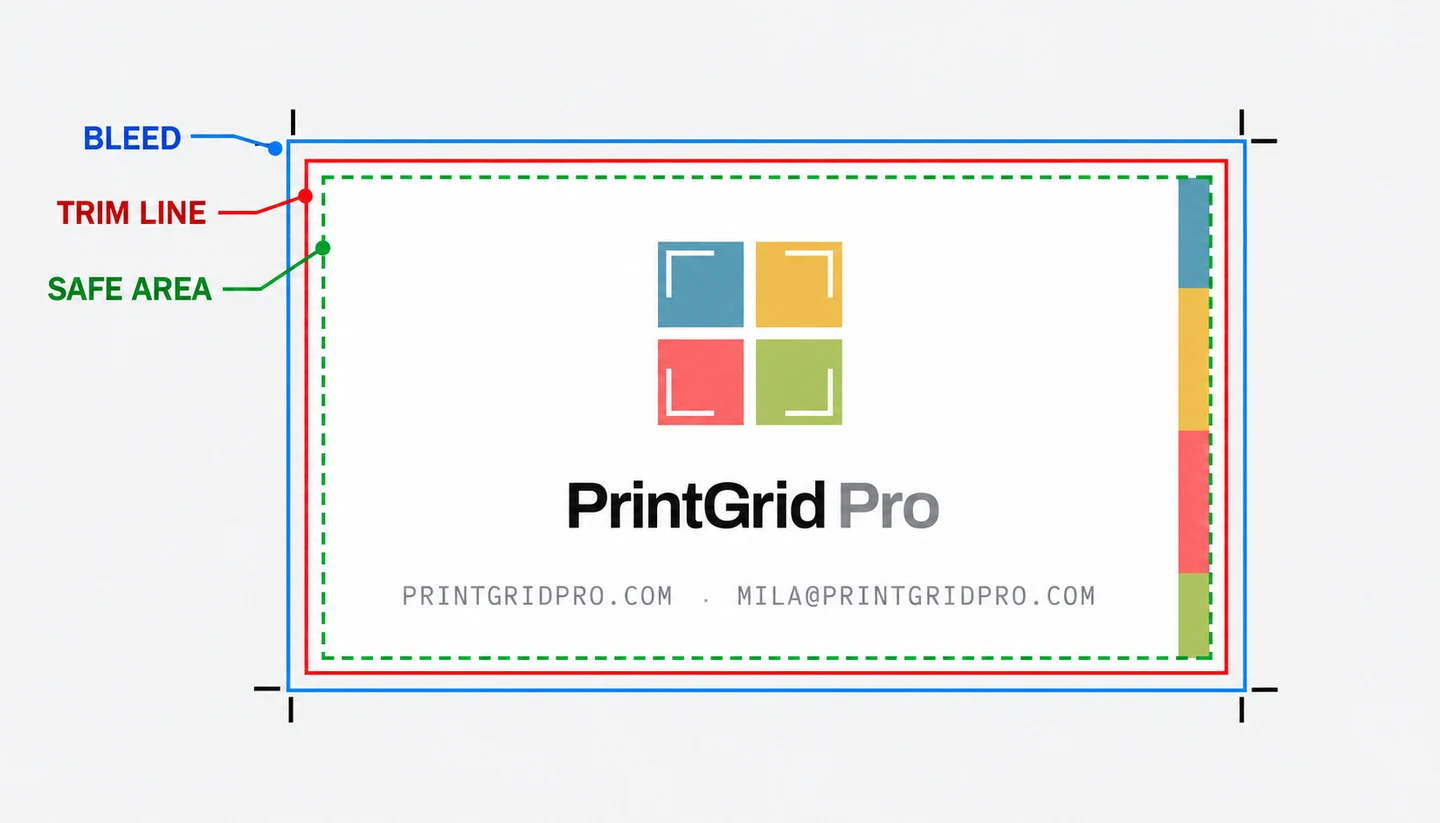
Bleed needs particular care. PrintGrid Pro can position the cut boundary within source artwork that already includes extra background. It cannot extend a background that stops at the finished edge. Prepare that extra artwork in the original design and review the bleed and trim guide. Increasing a bleed value is not a substitute for checking the file.
Who should pick which?
Pick PrintGrid Pro Web for occasional invitation, photo or card sheets when you prefer browser preparation and PDF delivery. A credit pack can suit a small project without a recurring subscription. Keep the original artwork, review the quoted output-page count, and budget for successful PDF sides rather than counting the individual pieces on them.
Pick PrintGrid Pro Desktop Pro when your routine is local Windows card preparation and the one-time purchase suits your budget. If the sheet is already arranged, first check whether free original-PDF printing is sufficient. Buying layout functionality again does not improve an existing sheet merely because it contains several cards.
Pick CutMarkPro when TIFF delivery, roll-paper work or its published multi-device license meets a requirement your job actually has. Those are concrete reasons to prefer the competitor. Before choosing an edition, confirm activation and commercial-use terms with the vendor and test the required file through its trial.
Make the decision with one representative job
Use a real design with small text and edge detail. Compare the intended cut size, space around every item and the final partial sheet. Ask your print provider whether it wants individual artwork or an imposed sheet, and whether it will add its own marks. More copies per sheet are not automatically better when the cutter needs extra room.
Print the exported sheet at Actual size or 100%, matching the PDF paper size. Keep one PDF page per printed side when that page already contains the arranged copies. Trim one piece and measure it before running the batch. A suitable PDF viewer can handle this handoff; Desktop is optional. Feed variation, stock thickness and cutter movement remain physical checks whichever application you choose.
For a broader shortlist, compare the imposition software guide and online print-sheet tools guide. When your job fits the browser route, open PrintGrid Pro with your finished source available.
Frequently asked questions
Is CutMarkPro cheaper than PrintGrid Pro?
It depends on the edition and usage. CutMarkPro lists Professional at $19 for one year and Enterprise at $49 lifetime. PrintGrid Pro has web credit packs and subscriptions, plus Desktop Pro at $24.99 one-time. Compare the output and license you need before choosing.
Can either tool repair missing bleed artwork?
PrintGrid Pro uses artwork that already contains the needed bleed and places the trim boundary inside it. It does not create a missing background. Check CutMarkPro's bleed workflow with your own file rather than assuming that a bleed setting reconstructs artwork.
Which should I choose for roll-paper output?
CutMarkPro explicitly advertises roll-paper support in its paid editions. Choose it for that documented requirement, after checking the intended roll width and export format. This comparison does not claim roll-production support for PrintGrid Pro.
Do I need Desktop Pro to print a sheet created on the web?
No. The downloaded sheet is an existing PDF. PrintGrid Pro Desktop Free can print its original contents, including cards and guides already inside the page. Another suitable PDF application can also print it.