From your design tool to a print-ready sheet
A direct workflow from a design tool to an exact Letter or A4 print sheet without stretching the artwork.
Export the original size
Download a PDF when your design contains text or vector artwork. Keep the intended finished size and avoid screenshots, which discard physical document information.
Arrange locally
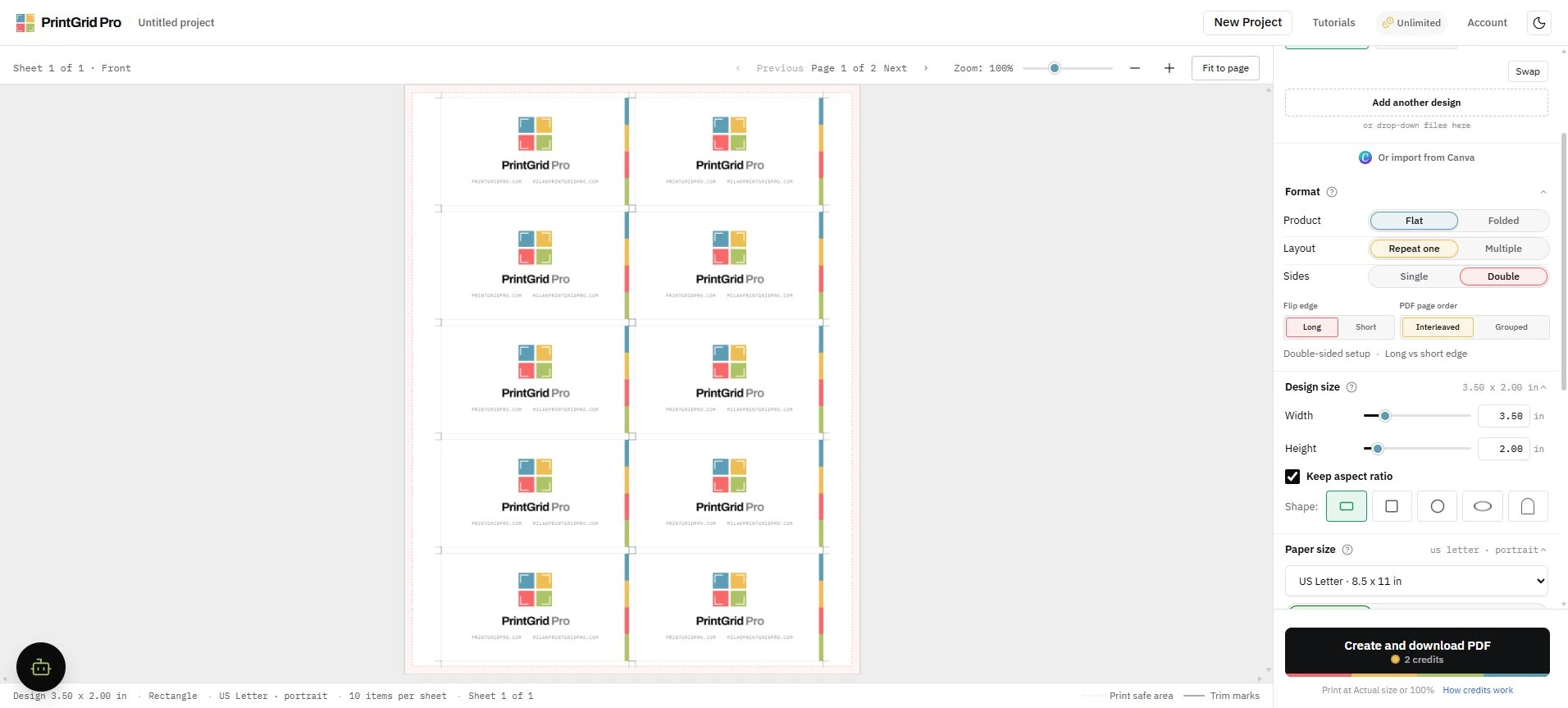
Upload the exported file, confirm its detected size, choose paper, and inspect quantity and guides before requesting a trusted export quote.
Check the source, then arrange copies
If the file looks sharp on screen but raises a warning, check effective print resolution. Once the source and finished size are ready, follow the steps to repeat one design across the sheet.